Resize Image for Instagram — Without Cropping or Stretching
Upload your photo and choose an Instagram format. AI extends the canvas to fit — your subject stays untouched.
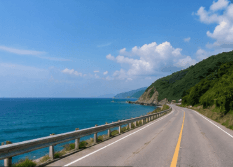
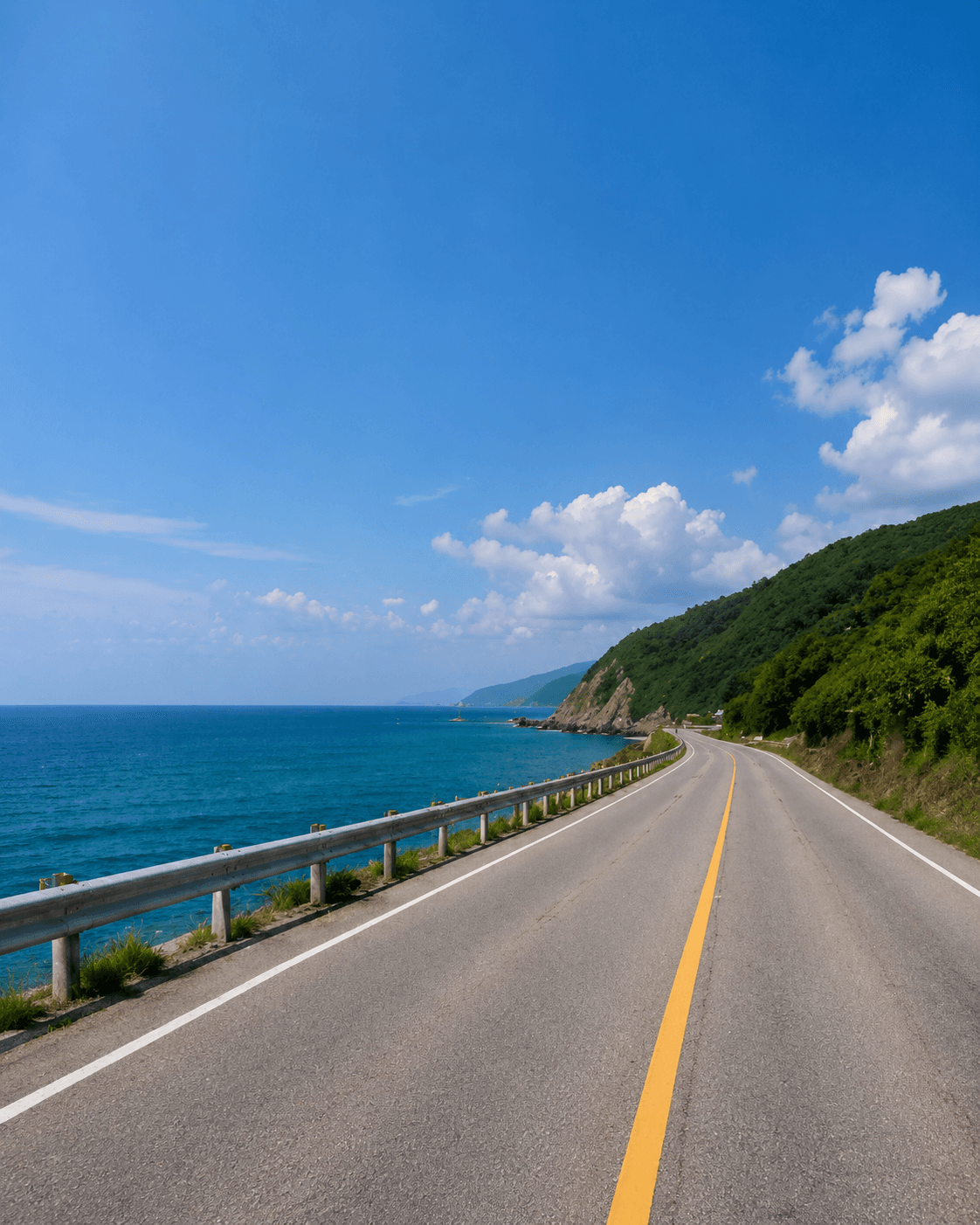
Before and After for Instagram
A landscape source image can become a supported Instagram-oriented 4:5 frame without cutting off the scene.
Instagram requires specific image ratios for posts, stories, reels, and profile pictures. If your photo doesn't match, most tools crop it — and you lose part of your image. ImageFit AI solves this differently: instead of cropping your photo, our AI extends the canvas to fit a supported target ratio. Your original photo stays intact, and the AI generates new content to fill the space around it.
AI expansion, not stretching
The original image remains the source of truth. ImageFit AI grows the canvas around it so the final frame fits a supported social ratio.
How It Works
Whether you're resizing a landscape photo into a vertical feed post or preparing a full-screen vertical image, the process is the same: upload, choose a supported format, download. No Photoshop-style manual canvas work and no basic black letterbox padding when AI expansion is available.
Upload your photo
Choose a JPG, PNG, or WEBP image up to 10MB.
Select a supported ratio
Use currently available Instagram-oriented ratios such as 4:5 or 9:16.
Download and publish
AI expands the canvas so the full subject remains visible.
Supported Instagram-Oriented Ratios
ImageFit AI currently supports these ratios that map cleanly to Instagram feed or full-screen vertical publishing needs.
Instagram Post
Supported vertical feed ratio.
Story / Reels-style canvas
Supported full-screen vertical ratio.
Instagram Size Guide
Use this as an educational reference for common Instagram formats. Product presets are limited to the supported ratios listed above.
| Format | Dimensions | Ratio | Notes |
|---|---|---|---|
| Square Post | 1080 × 1080 px | 1:1 | Optimal for grid |
| Portrait Post | 1080 × 1350 px | 4:5 | Largest supported post |
| Story / Reels | 1080 × 1920 px | 9:16 | Full screen vertical |
| Profile Picture | 320 × 320 px | 1:1 | Shown as circle |
| Landscape Post | 1080 × 566 px | 1.91:1 | Widest supported |
Instagram recommendations may change; always check Instagram's latest guidance before publishing.
Why AI Expansion Beats Cropping
Traditional resizing removes pixels. ImageFit AI keeps the original image and grows the canvas around it.
Traditional crop
Fast, but it often sacrifices the parts of the image you wanted to keep.
- Cuts off subjects
- Loses composition
- Can feel like a compromise
ImageFit AI
Preserves the source image and creates new surrounding content for the target ratio.
- Keeps the original intact
- AI fills extra space
- Avoids black letterbox padding
Use Cases
Create Instagram-ready images without forcing a destructive crop.
Landscape photo to vertical feed post
Preserve the scene while extending the canvas for a 4:5 Instagram post.
Square photo to Story-style vertical
Use the supported 9:16 ratio when a full-screen vertical layout is needed.
Product image to Instagram feed creative
Keep the full product visible while creating room around the subject.
Feature Highlights
Resize without cropping
Keep the original photo visible while AI expands the surrounding canvas.
Supported Instagram-oriented ratios
Use 4:5 for vertical feed posts or 9:16 for full-screen vertical layouts.
No stretching
The tool avoids squishing your image to force a new shape.
No black bars when AI fill is available
Generate visual context instead of adding plain padding.
Free credits included
Eligible new users can try the workflow with no credit card required.
FAQ
Answers to common questions before you start expanding images.
How do I resize an image for Instagram without cropping?
Instead of cropping, ImageFit AI uses AI outpainting to extend your image to a supported Instagram-oriented ratio. Upload your photo, select an available format such as 4:5 or 9:16, and the AI adds new content around your original image so the full subject is preserved. Download the result and upload it to Instagram.
What are the Instagram image size requirements in 2025?
Common Instagram dimensions include Square post (1080×1080, 1:1), Portrait post (1080×1350, 4:5), Story and Reels (1080×1920, 9:16), and Landscape post (1080×566, 1.91:1). Profile pictures display at 320×320 but should be uploaded at higher resolution for best quality. ImageFit AI only claims presets for formats that are currently available in the product UI.
Will my subject get cut off when I resize for Instagram?
No. ImageFit AI keeps your original image intact and uses AI to fill in the additional canvas space required by the supported ratio. Your subject will not be cropped, and the new areas will blend naturally with your existing photo.
Can I resize an image for Instagram Story without black bars?
Yes, when you use a supported 9:16 workflow. Instead of adding black or white letterbox bars, ImageFit AI generates realistic content to fill the vertical space around your original photo. This works especially well for landscape or square photos being reformatted into full-screen vertical images.
Can I try the Instagram image resizer for free?
Yes. ImageFit AI offers free credits for eligible new users, with no credit card required. Additional credits are available in packs or via a monthly subscription for high-volume creators.
Does this tool work for Instagram Reels covers and profile pictures?
ImageFit AI currently supports 9:16, which can be useful for full-screen vertical formats such as Reels-style covers. It does not claim a dedicated 1:1 profile picture preset unless that preset is added to the product UI.
Related Tools
Continue with the Batch 1 pages that are live now.
Start with one image.
Upload a supported image, choose a target ratio, and let ImageFit AI expand the canvas.